Holiday Gift Guide: 15 Retro Gaming Gifts Under $50
Fifteen retro gaming gifts that stay under fifty dollars, from cleaning kits and cartridge stands to...

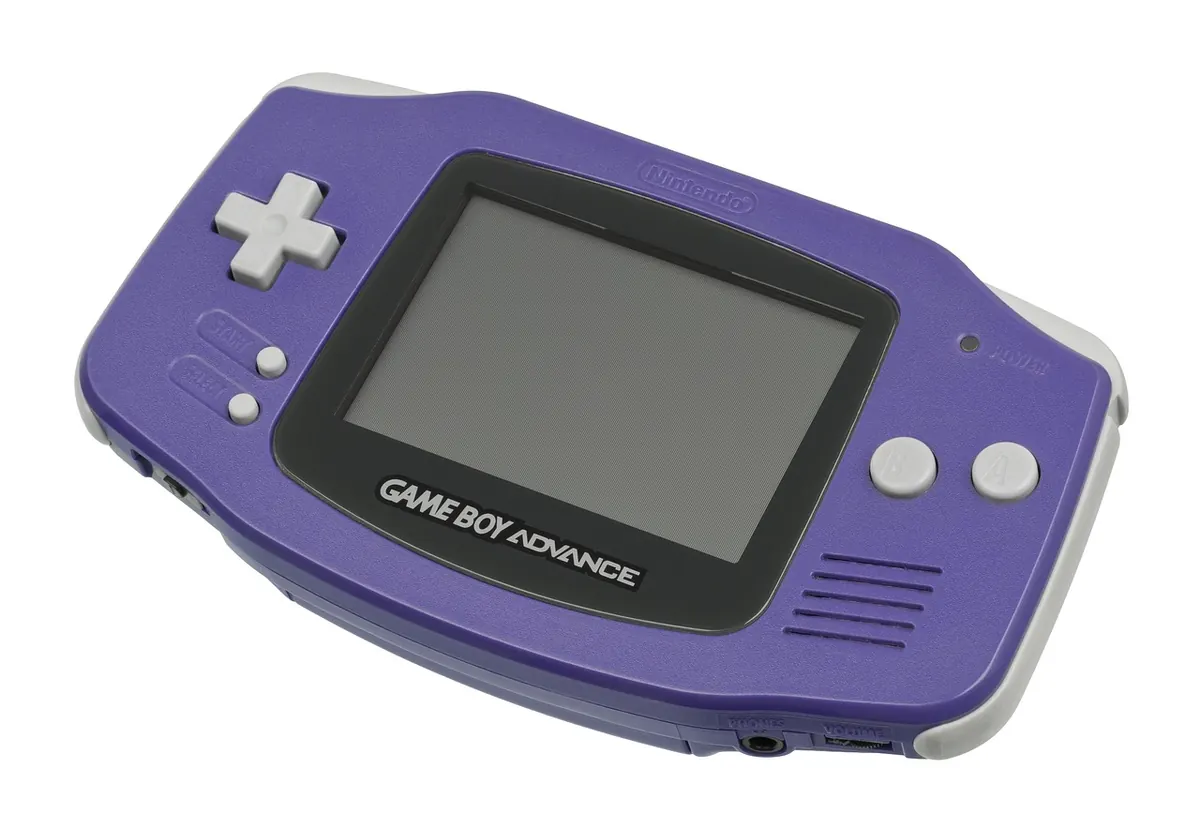
Five handhelds, all under a hundred dollars, all making the same promise: your childhood library in your pocket. The differences only surface once the novelty wears off — three hours into a long flight, or mid-boss-fight when the D-pad rolls a diagonal you never asked for. We spent a few weeks carrying five of the most talked-about budget machines, playing the same games on each: Super Metroid, Castlevania: Symphony of the Night, Advance Wars, Chrono Trigger, and a rotation of PlayStation-era titles. Here is what actually matters, and which one we would hand to a friend.
Every device was set up the same way: a fresh card, a clean firmware install, no overclocking, and the honest default settings a new buyer would get out of the box. Then we lived with them.
Three panel types dominate this price bracket, and your choice decides which consoles feel native rather than merely playable.
The 3.5-inch 640x480 4:3 panel — used by both the Miyoo Mini Plus and the Anbernic RG35XX Plus — is the classic compromise, and a good one. NES, SNES, Genesis and PlayStation scale up with thin borders and no shimmer. Game Boy Advance is the awkward child here: 240x160 in a 4:3 window means black bars at the sides and a slightly soft image, though a good shader hides most of it.
The Powkiddy RGB30's square 720x720 screen is the specialist's pick. Game Boy and Game Boy Color fill it almost edge to edge, and vertical arcade shooters look like the panel was designed for them, because it was. Widescreen console content, on the other hand, gets heavy bars top and bottom — this is not the device for a GBA marathon.
The TrimUI Smart Pro goes the other way: a 4.96-inch 1280x720 widescreen that flatters GBA and simple PSP titles enormously, then pillarboxes your SNES library into a narrow column. The Miyoo A30's 2.8-inch 640x480 screen is sharp and pocketable, but RPG menu text is genuinely small.
The spread here is roughly double between best and worst, which matters more than any spec sheet line. The widescreen unit with the largest cell ran comfortably past eight hours of mixed 16-bit play. The two 3.5-inch verticals landed around five to six hours. The smallest handheld tapped out near four, which is fine for a commute and annoying for a flight.
Sleep drain is the detail reviewers skip. Some of these lose a noticeable slice of charge overnight even when "off", because the sleep state is really a low-power run state. If a device drops ten percent sitting on your nightstand, you will feel it on a Friday. On the plus side, all five charge over USB-C, and most will happily charge from a power bank while you play — though the little ones get warm doing it.
You can spend an hour comparing chipsets and still be defeated by a bad D-pad. The Miyoo Mini Plus and RG35XX Plus both use a soft, quiet membrane D-pad that is excellent for platformers: precise, light, easy on the thumb over a long session. The Powkiddy RGB30's is clickier and slightly stiffer, which suits fighting games but tires you faster.
Shoulder buttons split the field too. The horizontal units — RGB30 and Smart Pro — place theirs comfortably under the index fingers. On the vertical machines, L and R sit high on the back and take a few hours to stop feeling like a reach. The analogue sticks on both horizontal devices are small, with shallow travel and a little dead zone at centre; they are fine for PlayStation 1 and twin-stick arcade games and frustrating for anything demanding precision aiming.
Everything up to and including the 16-bit era runs flawlessly on all five. Game Boy Advance, Neo Geo and most arcade boards are equally untroubled. PlayStation 1 is the realistic ceiling and all five reach it, with occasional frame dips in busy 3D scenes on the cheaper hardware.
Beyond that, be sceptical. Dreamcast and N64 are per-game propositions: 2D titles and simpler 3D games often hold full speed, while the demanding ones stutter no matter how you tune them. Saturn is out of reach. PSP works only for lightweight 2D games, and dual-screen emulation is technically possible but miserable on a single small display.
Custom firmware is the biggest free upgrade available. Onion OS on the Miyoos, and muOS, Knulli or Batocera on the Anbernic and Powkiddy, improve sleep behaviour, add save states that work properly, and tidy up the interface. Install it before you load your games.
Start with the question of where you will actually play. On a train with twenty minutes to spare, the Miyoo Mini Plus or the RG35XX Plus wins on pocketability and control feel. On a long journey, the TrimUI Smart Pro's screen and battery are worth the extra bulk. If your childhood was a Game Boy and nothing else, the RGB30 is the only one that renders it the way you remember.
Two practical notes before you order. First, budget for a decent branded microSD card — the bundled ones fail, and re-flashing firmware on a card that came in the box is the single most common beginner mistake. Second, source your own game files from your own cartridges; that is the clean way to build a library.
If you want one answer: the Anbernic RG35XX Plus is the safest sub-$100 purchase for most people, with the Miyoo Mini Plus a very close second if you prize that softer, quieter D-pad. Everything else on this list is a specialist tool for a specific library. Buy accordingly, and you will not regret it.
Photo: WikimediaImages / Pixabay
Fifteen retro gaming gifts that stay under fifty dollars, from cleaning kits and cartridge stands to...
A practical playbook for starting a monthly retro gaming meetup: finding a venue, picking a format,...
Nine mistakes new retro collectors repeat, from overpaying for loose discs to storing boxes in damp...