
Holiday Gift Guide: 15 Retro Gaming Gifts Under $50
Fifteen retro gaming gifts that stay under fifty dollars, from cleaning kits and cartridge stands to...

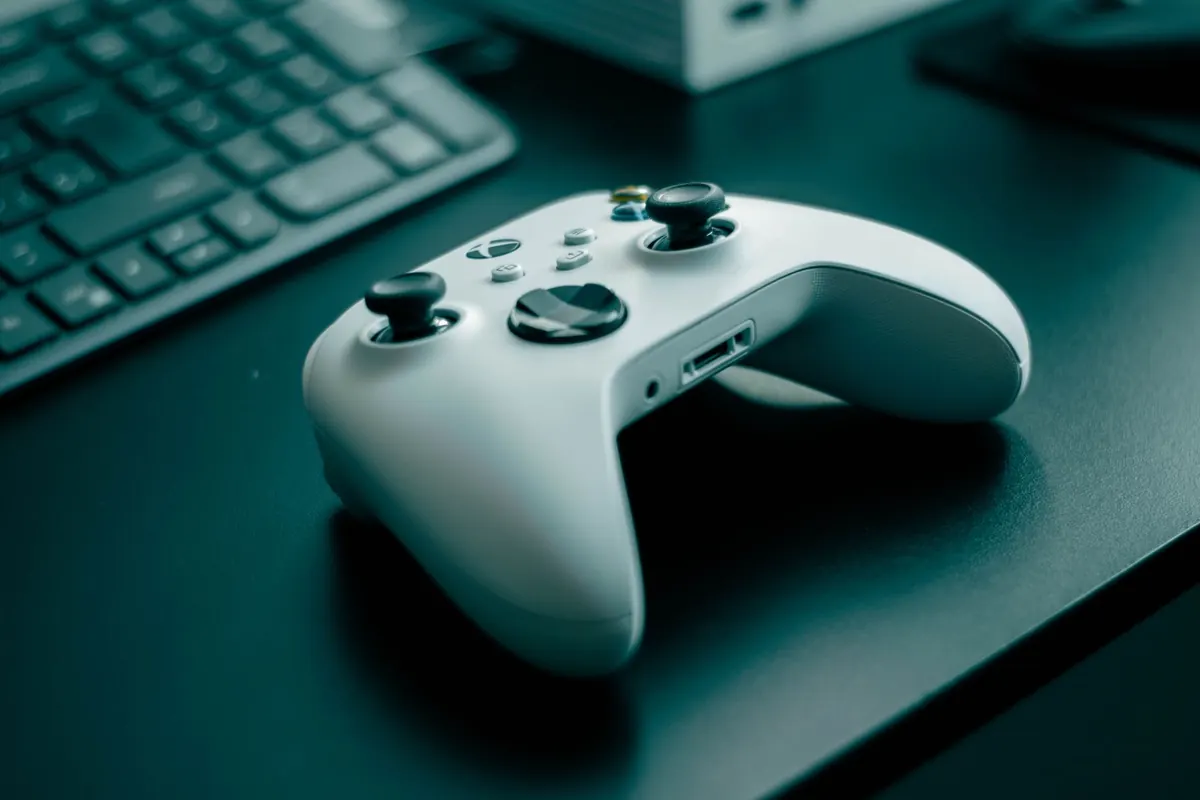
A wireless controller for a Super Nintendo or a Mega Drive sounds like a tidy upgrade: no cable stretched across the living room, no console yanked off the shelf when someone trips. Then you reach the mine cart level in Donkey Kong Country, mistime one jump, and start wondering whether the pad is lying to you. Over the past few weeks I swapped between wired originals and two wireless pads — one 2.4GHz with a USB dongle, one Bluetooth — across a CRT, a modern TV with a scaler, and a small emulation box. Some of it felt seamless. Some of it did not.
Everything ran against the same baseline: a wired original pad on the same display, same games, same seat on the sofa. I used Super Mario World for cape flight and shell jumps, Mega Man X for dash-jump timing, Punch-Out!! for frame-tight dodges, Tetris for diagonal discipline, and Street Fighter II Turbo for quarter-circle motions. Then I ran the same sections on each wireless pad, alternating every few attempts, until I could predict a miss before it happened.
No lab equipment, no millisecond charts. Most controller makers don't publish honest latency figures anyway, and the ones they do publish usually describe the wireless link alone — not the TV, not the scaler, not the emulator sitting in the middle. So this is a feel test, done repeatedly, with one rule: if I can't tell the pads apart after twenty tries, I say so.
You cannot feel a spec sheet. You can feel a missed jump, over and over, for an hour.
A 2.4GHz pad with its own USB dongle behaves like a short, dedicated wire. In my testing it stayed closest to the wired original — close enough that on Mario World I stopped thinking about the controller and started thinking about the level. Bluetooth was a different story. Not unusable, but on Punch-Out!! I found myself reacting a beat early, which is a habit you don't want to build. Bluetooth also varied more between sessions, which is worse than consistent lag, because you can't calibrate to it.
Here's the part that surprises people. On a modern TV, the display often contributes more delay than the controller does. If your picture mode is set to "Cinema" or "Standard", you may be adding a noticeable chunk before the pad even enters the conversation. Switch to Game mode first, then judge the controller. Scalers add a frame or two as well, and emulators have their own buffer settings — if you're running RetroArch, dropping the buffer and enabling run-ahead will do more for your timing than any pad swap. Fix the chain before you blame the dongle.
Battery talk sounds dull until your pad dies mid-boss. What matters isn't the number on the box, it's how the pad behaves when the charge runs low. Two designs dominate: built-in lithium cells and AA compartments. AAs are unglamorous but you can swap them in ten seconds and keep playing. A built-in cell means either you play tethered while charging or you stop.
The bigger annoyance is sleep behaviour. Plenty of wireless pads drop into a low-power state after a minute or two of idle. When you pick it up again, that first button press wakes the pad instead of registering — so Mario stands still while you mash jump. In a slow RPG you'll never notice. In Mega Man X, it will cost you a life.
A mediocre d-pad will hurt your play more than a few milliseconds of lag ever will. The problems are consistent: a shallow pivot that lets you press two directions at once, a mushy membrane, or a rocker that rocks too far. You can detect all three in about a minute. Load Tetris and try to drop a piece straight down without nudging it sideways. Then load a fighting game and throw a quarter-circle. If the piece drifts or the fireball comes out as a jump, the d-pad is fighting you.
Face buttons are usually fine. Membrane buttons feel like the originals; microswitch buttons click crisply but can feel alien under games designed around soft presses. Shoulder buttons are worth checking, since many wireless retro pads add L and R that the original hardware never had — handy, but placement varies wildly. Weight matters less than people claim, though a very light pad can feel hollow. What actually matters is whether the shell fits your hands after an hour.
For most retro players, a good 2.4GHz pad is worth it. The freedom to sit back, the tidy shelf, the ability to use one modern controller across original hardware with a receiver and an emulation box — that's real, everyday value. Bluetooth pads are fine for RPGs, strategy games and anything turn-based, and I'd happily use one for a long afternoon of Chrono Trigger.
For precision platformers, shmups, Punch-Out!! and anything you're trying to clear without losing a life, stay wired or stay on 2.4GHz. If your pad also works over USB-C, keep a cable coiled by the console and plug in when a run matters. That hybrid setup costs nothing extra and removes the argument entirely.
One last thing: before you return a pad, fix your display. Game mode on, scaler settings checked, emulator buffer trimmed. Plenty of controllers get blamed for problems that were sitting in the picture menu the whole time.
Photo: Roberto / Pexels
Fifteen retro gaming gifts that stay under fifty dollars, from cleaning kits and cartridge stands to...
A practical playbook for starting a monthly retro gaming meetup: finding a venue, picking a format,...
Nine mistakes new retro collectors repeat, from overpaying for loose discs to storing boxes in damp...